Ultimine Undo
Mined the wrong wall? An Ultimine can be undone for a short time afterwards.
How it works
- Press Ctrl+Z (the Undo Ultimine key). A preview appears: ghost blocks where the mined blocks will return, and a HUD listing what the undo costs.
- Press it again to confirm. The blocks grow back one after another.
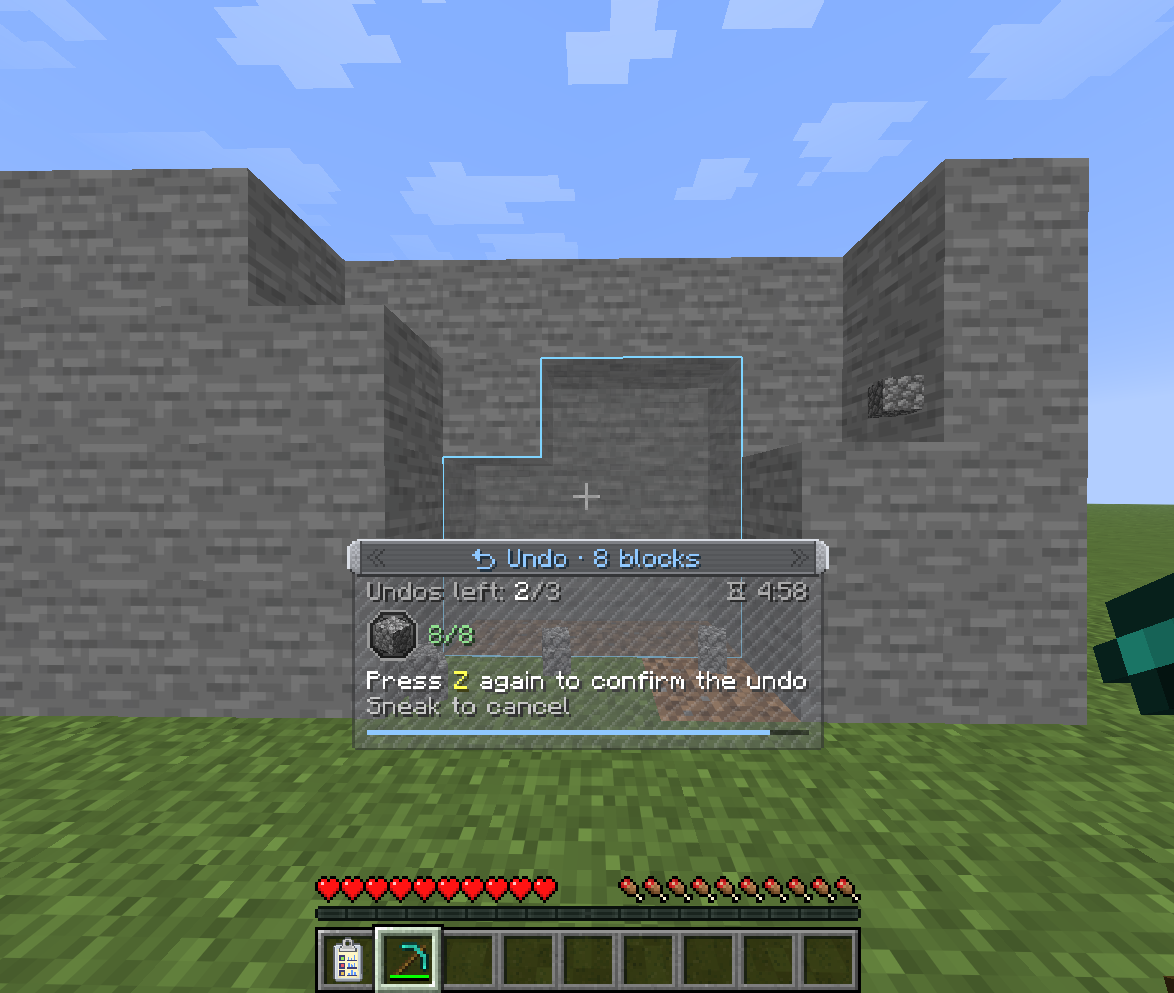
Undoing isn't free: it takes back what the Ultimine gave you. The dropped items are collected from the ground first and then from your inventory, and the experience is taken back too.
When items are missing
If you no longer have some of the drops, the undo still works for the rest:
- Only the blocks whose items you still have come back.
- In the preview those blocks keep the usual look, and the ones that can't come back are drawn as red ghosts inside a red outline.
- A popup shows what is missing and how many blocks will return before you confirm. Its "Don't ask again" checkbox turns the popup off; the
undo.confirm_missing_itemsclient setting brings it back.
An undo is refused when the spots are no longer empty, or when you can't pay for any of the blocks.
Limits
- Only your most recent Ultimines can be undone, newest first, and only within a time window after each one.
- Blocks an undo puts back don't count towards challenges.
- Servers can turn undo off, and set the history length, the time window and the placing animation in the server settings.