Ultimine Shapes
A data pack can add its own Ultimine shapes. They join FTB Ultimine's shape list like the built-in ones: players cycle to them with the Ultimine key held, Shape Certificates can teach them, and the Skills Record draws their diagram by itself.
Since
FTB Ultimine Addition 26.1.2-5, 2101.2.0.4 (1.21.1) and 2001.2.0.4 (1.20.1).
Where they go
The shape's id is <namespace>:<name>. Shapes load with the data pack, so /reload picks up changes, and the server sends its list to every player.
Drawing a shape
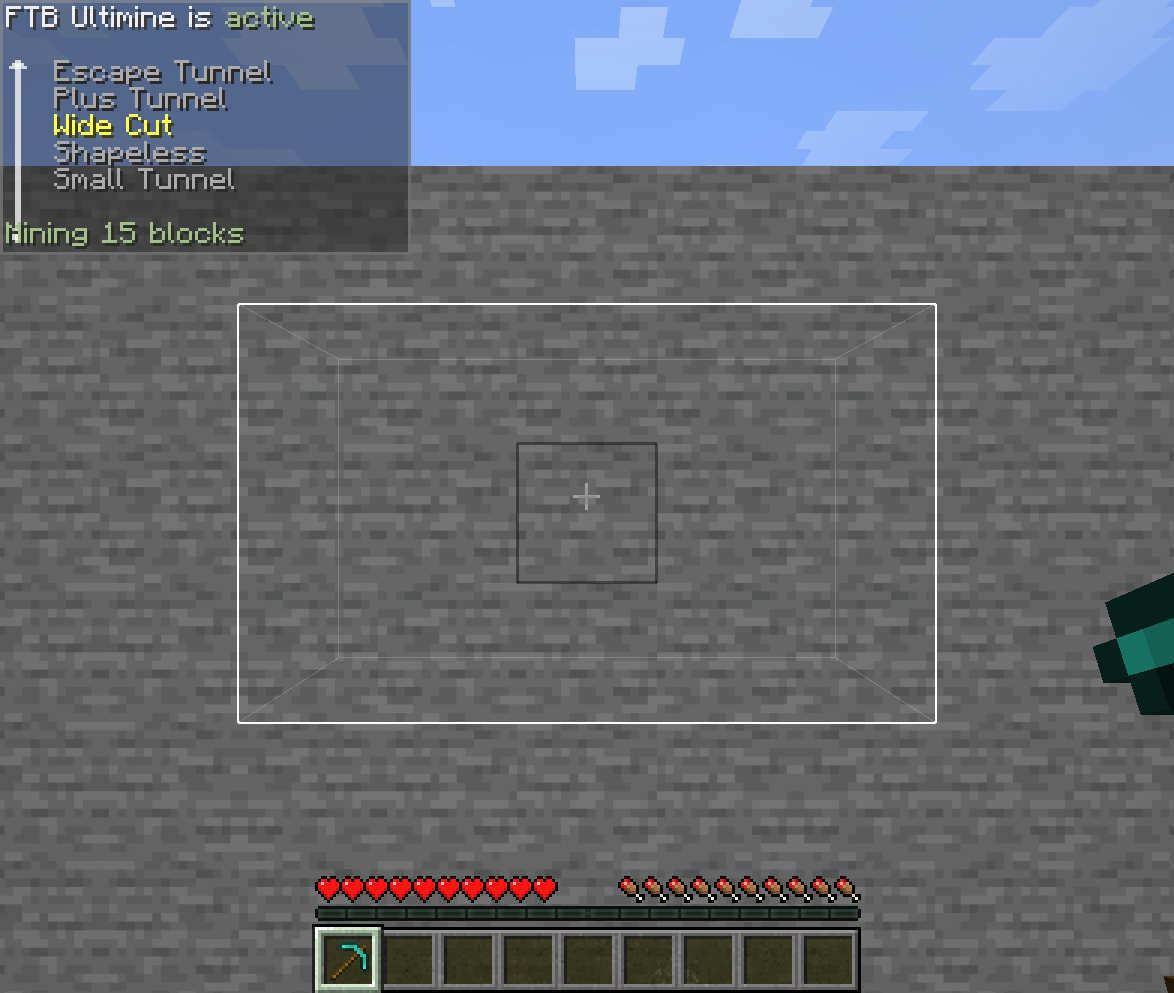
The simplest way is a pattern: the blocks as you see them when you face the block you break.
{
  "name": "Wide Cut",
  "pattern": [
    "#####",
    "##o##",
    "#####"
  ]
}
| Character | Meaning |
|---|---|
o |
The block you break. Without one, the middle of the pattern is used. |
# |
A block of the shape. |
| anything else | Nothing. Use . or a space. |
Listing blocks
For shapes that reach into the wall, list the blocks as [right, up, depth] offsets from the block you break. Depth counts into the block, away from you.
{
  "name": "Plus Tunnel",
  "blocks": [[0, 1, 0], [0, -1, 0], [1, 0, 0], [-1, 0, 0]],
  "repeat": "depth"
}
A shape can have a pattern, blocks, or both. The block you break is always part of it.
The fields
| Field | Meaning |
|---|---|
name |
The name shown to players. Optional: without it the shape uses the translation key ftbultimine.shape.<namespace>.<name>, for a resource pack to translate. |
pattern |
Rows of the shape, top to bottom, facing the block. Up to 65 × 65. |
blocks |
[right, up, depth] offsets, each from -32 to 32. |
repeat |
"none" (the default) or "depth": take the same blocks again one step deeper, over and over, until the block limit. That makes a tunnel. |
How a shape behaves
- Only matching blocks are taken, as with FTB Ultimine's own shapes: the blocks must match the one you break.
- Nearest blocks first. When the player's block limit is lower than the shape, the blocks closest to the one you break are taken.
- A tunnel stops at the block limit, or at the first layer where nothing matches.
- On a floor or ceiling, "up" in the shape is the direction you face.
- A file with a mistake is skipped, and the server log says what is wrong with it.
Offering a shape to players
A new shape is in the list, but under the default rules players only use the shapes they have learned. Add its id to one of the certificate lists in the server settings, for example progression.adept_certificate_shapes, or let progression.extra_shapes_certificate hand out every shape no list names.
The Miner Certificate and Mine-Go Juice unlock every shape, data pack ones included. general.blacklisted_shapes can block one by id.
1.20.1
On 1.20.1 this mod's screens show the shape's name, but FTB Ultimine's own shape display only knows the translation key ftbultimine.shape.<namespace>:<name>. Add that key in a resource pack to name the shape there.