The adjust screen
Sneak and use a pedestal with an empty hand to open its adjust screen. It has four tabs, and the last one you used opens next time. Each section's name has a ? that explains it while you hover over it, and so does each button on the Behavior tab. Each slider has its own reset button, and Reset puts everything back.
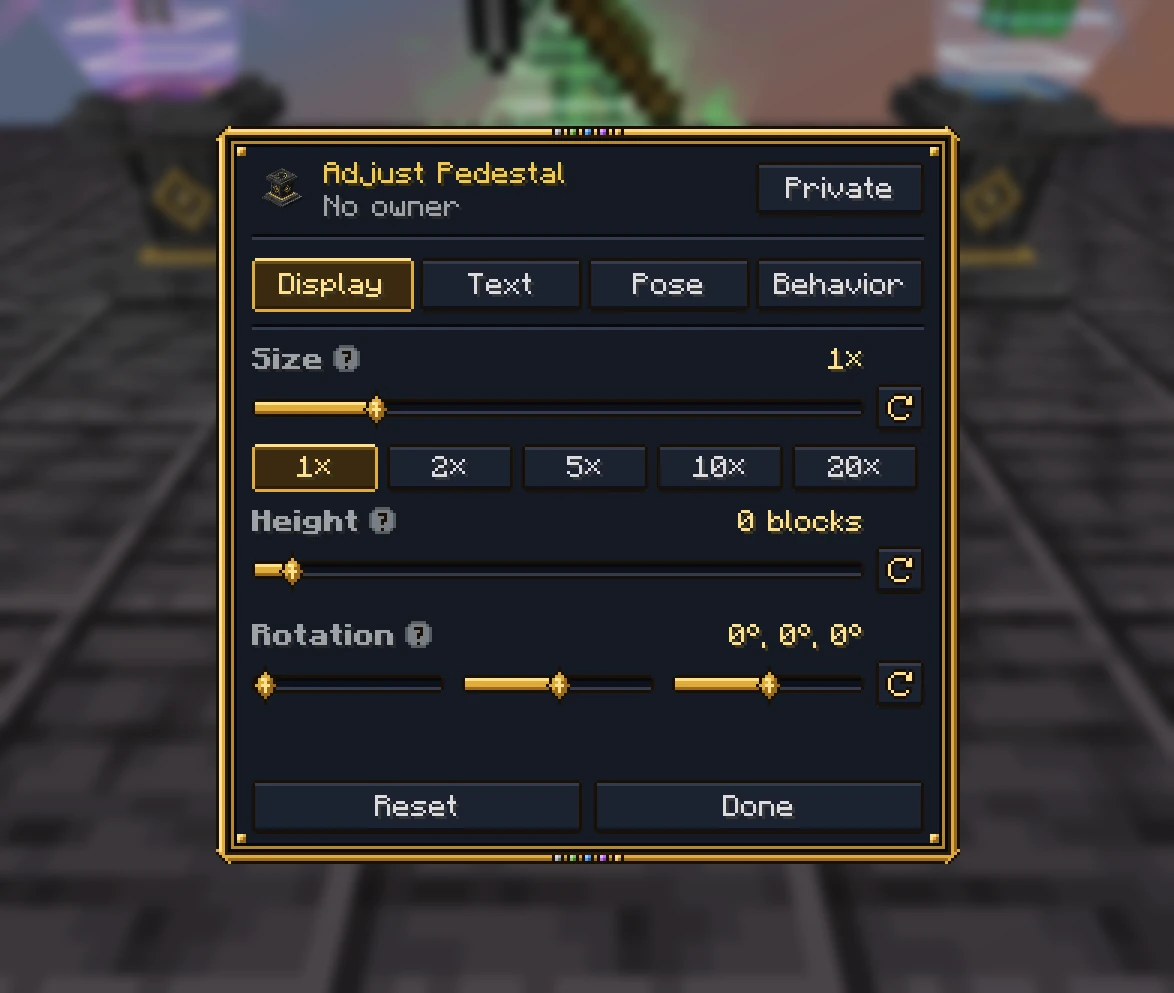
Display
- Size, from half to twenty times its usual size, with buttons for 1×, 2×, 5×, 10× and 20×. Its light, outlines, flare, beam, halos, crown and particles grow with it.
- Height, from half a block down to ten blocks up.
- Rotation: three sliders side by side. Yaw turns what it shows round to face another way (one that spins starts turning from here), pitch tips it forward or back, and roll rolls it onto its side, like a sword standing on its point. Pitch and roll go up to half a turn either way, round its middle, and turn with it as it spins.
- Crown, on a legendary trophy: the gold crown's size, and how far it's moved forward and up, to sit it on a head that isn't over the middle.
Text
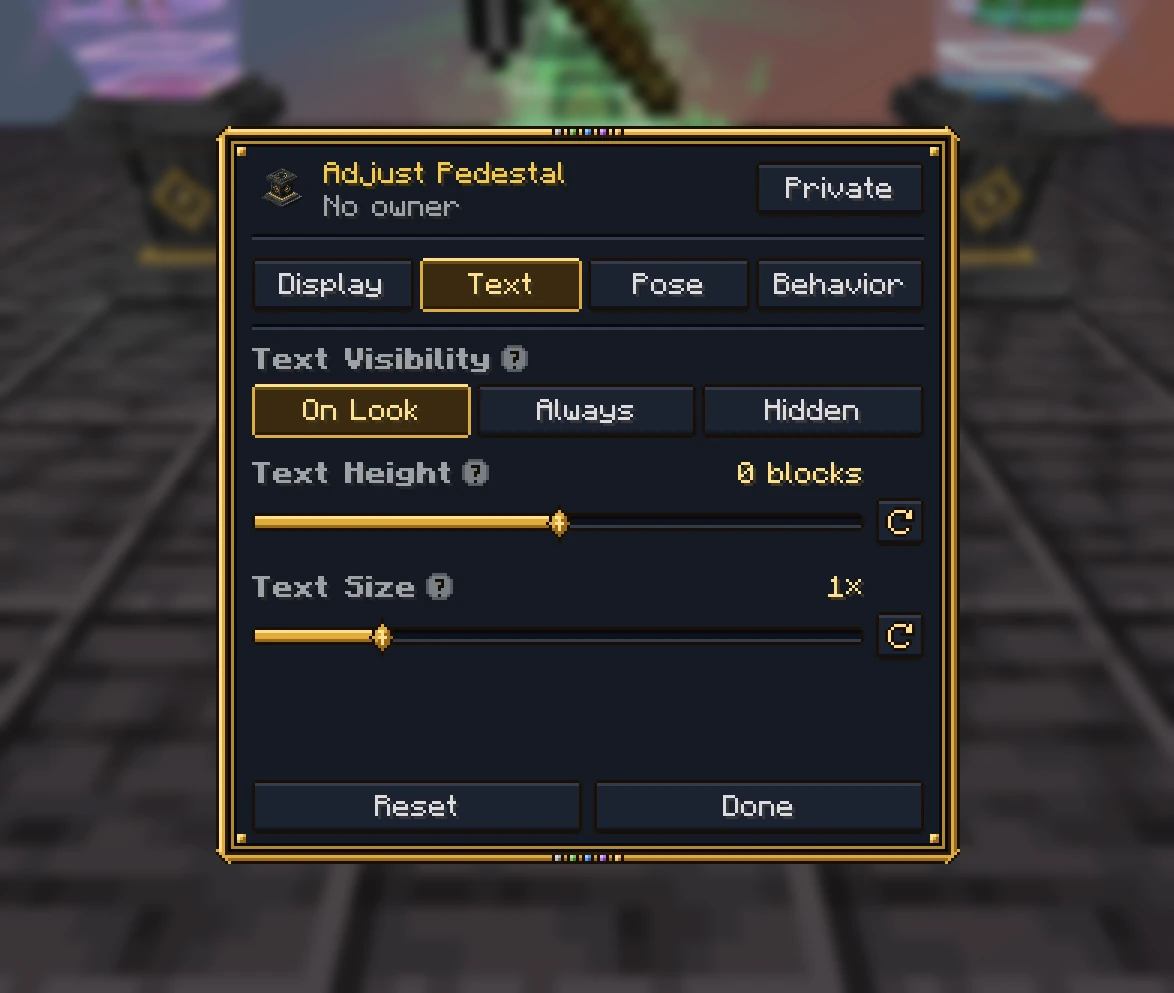
- Text Visibility: On Look (while you look at it within reach), Always (within 32 blocks) or Hidden.
- Text Height: moves the text panel up or down.
- Text Size: from half to three times its usual size, frame and all.
Behavior
- Spin: what it shows turns slowly, or stands still.
- Flourishes: its rank's beam, halos, crown shards, flares and particles. Off leaves only its showcase light and outlines.
- Sounds: its rank's sounds, like the chime when it's placed.
- Crown: a legendary trophy's gold crown over what it shows.
- Showcase Light: the lit lens, the cone of light rising out of the well and its frame. Turn it off for a plain display, on a trophy or a display pedestal.
- When Powered: Ignore redstone, Show what it displays only while powered, or Hide it while powered.
Pose
For a mob or a statue.
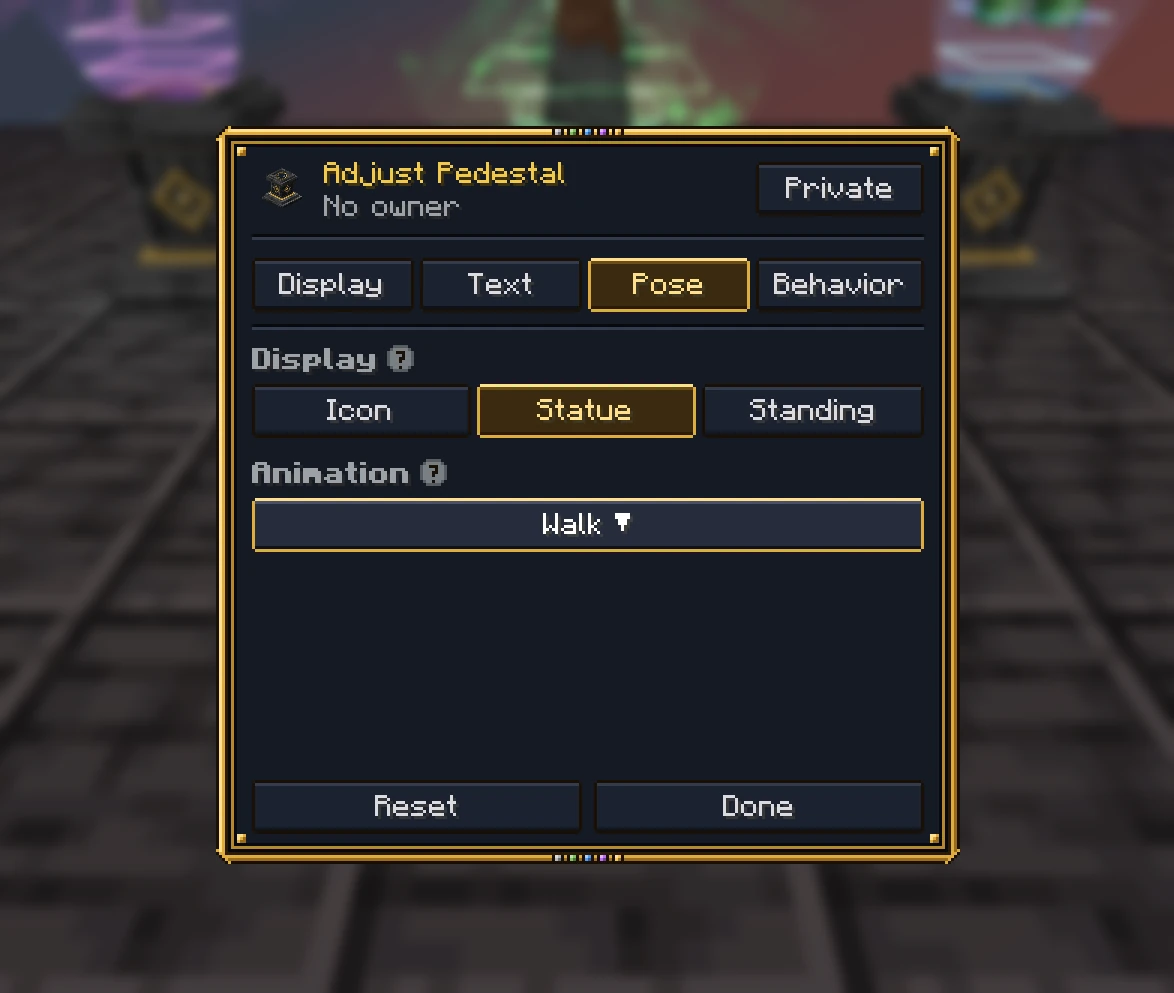
- Display: an achievement trophy earned by a player can show the trophy's Icon, or that player's Statue in their own skin, standing, crouching, swimming, gliding or sleeping (the button beside it).
- Mob Pose: Animated, or Frozen in one pose (which also stops a blaze's rods and an allay's wings).
- Animation: one animation the mob or statue plays on loop. The list is found from the mob itself, so only animations that move it are offered: walking, running and attacking, its own animations (a warden's roar, a camel sitting down), its own states (a fox sitting or sleeping, a zombie's raised arms) and its own poses (a parrot's). Choosing one sets a frozen mob moving.
Who may adjust it
By default, a pedestal is adjusted by the player who placed it (and operators). Its owner can let others in from the
screen: Private (only them), Team (their team too) or Everyone. A server can open every pedestal to anyone
(pedestals.access), hide a trophy's Display, Text or Pose tab from players (pedestals.trophy_settings), and stop
items being taken off display pedestals (Config). A mod can also lock a
pedestal's settings against every player.
Display pedestals
A display pedestal's screen is one page: when its text shows, redstone, sounds and its showcase light. A server can
give it tabs like a trophy's (pedestals.display_pedestal_settings, both off by default): a Display tab for its
item's size, height and rotation, and a Text tab with its text's height and size. Its Behavior tab then has spin,
sounds, the showcase light and redstone.